RAG vs Fine-Tuning vs Copilot: Which AI Approach Fits Your Business?
Compare RAG, fine-tuning, and Microsoft Copilot for building internal knowledge assistants. Practical decision framework with costs, timelines, and ANZ compliance considerations.
The Knowledge Access Problem
A legal team at a mid-sized firm spent three hours searching for a precedent document buried in SharePoint. The information existed. The permissions were correct. But the knowledge was effectively lost in folders, outdated wikis, and email threads.
Research suggests employees spend significant portions of their workweek searching for internal information—time that compounds across organisations into substantial productivity losses.
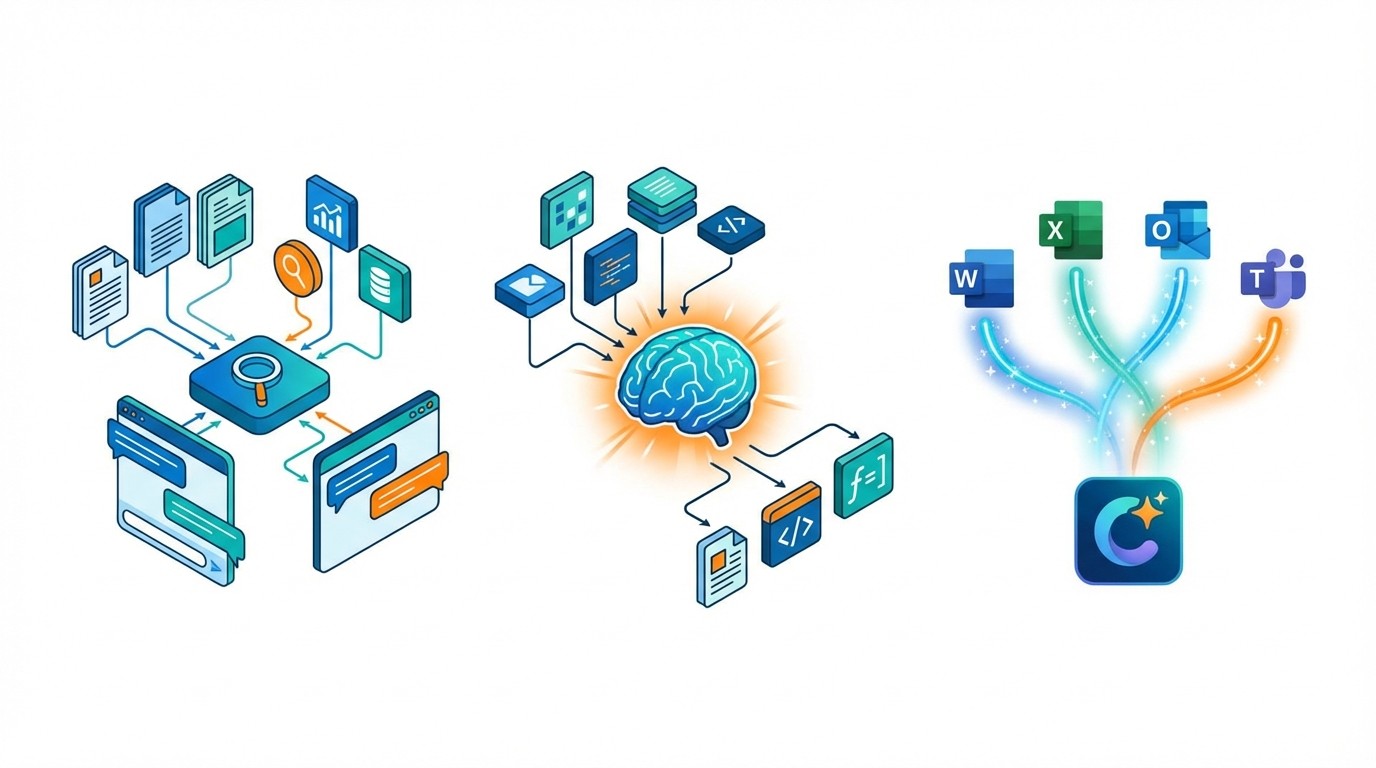
Three approaches exist for building AI assistants that solve this problem:
RAG (Retrieval-Augmented Generation) connects language models to your documents without retraining
Fine-tuning specialises models for domain-specific behaviour
Microsoft Copilot integrates AI across the Microsoft 365 suite
Each solves different problems with distinct trade-offs. This framework helps you choose without over-engineering.
Quick Comparison
Factor | RAG | Fine-Tuning | Microsoft Copilot |
|---|---|---|---|
Best for | Dynamic knowledge, source attribution | Specialised terminology, consistent outputs | Microsoft 365 workflows |
Knowledge updates | Instant (add documents) | Requires retraining | Automatic (searches M365) |
Upfront cost | Lower | Higher (training compute) | Subscription-based |
Runtime cost | Higher (retrieval overhead) | Lower | Included in subscription |
Time to deploy | Weeks to months | Days to weeks (training) + integration | Days to weeks |
Technical complexity | Moderate | High | Low |
Source attribution | Yes | No | Partial |
Understanding Each Approach
RAG: Real-Time Document Retrieval
RAG connects large language models to your knowledge base without retraining the underlying model. When someone asks a question, the system:
Searches your document repository
Retrieves relevant content
Feeds that context to the LLM
Generates a grounded response with source citations
Key advantage: Knowledge updates instantly by adding documents. No retraining when information changes.
Key trade-off: You're managing vector databases, embedding models, and orchestration layers. This infrastructure complexity is the price of maintaining fresh, traceable knowledge.
Typical use cases:
Policy and procedure queries
Product information lookup
Compliance documentation
Customer support knowledge bases
Fine-Tuning: Specialised Model Behaviour
Fine-tuning retrains a pre-existing model on your specific data, adjusting its parameters to internalise domain knowledge. The model learns patterns, terminology, and reasoning approaches from your training examples.
Key advantage: Produces highly specialised outputs with correct industry jargon and consistent formatting. A fine-tuned legal model will use proper terminology because it has deeply learned the domain's patterns.
Key trade-off: Knowledge freezes at training time. The model cannot access new information without complete retraining—which takes days or weeks and costs thousands in compute.
Typical use cases:
Specialised document generation
Domain-specific classification
Consistent brand voice
High-volume repetitive tasks
Microsoft Copilot: Integrated Productivity AI
Microsoft 365 Copilot embeds AI assistance directly into Word, Excel, Outlook, and Teams. Users interact conversationally with their work applications.
Key advantage: No infrastructure to manage. Built-in compliance through Microsoft Purview. Works immediately with existing Microsoft 365 data.
Key trade-off: Less customisation than custom solutions. Value depends heavily on how deeply your organisation uses Microsoft 365.
Typical use cases:
Document summarisation and drafting
Email management
Meeting preparation and follow-up
Cross-application information retrieval
The Hybrid Approach
Combining fine-tuning with RAG creates systems where specialised training provides domain expertise while retrieval adds current facts.
Research indicates accuracy gains can compound—improvements from fine-tuning and RAG stack rather than compete. However, you're managing both training pipelines and retrieval infrastructure, which requires more sophisticated technical capabilities and higher costs.
Decision Framework
Choose RAG When:
Your knowledge changes frequently
Product updates, policies, or regulations require current responses
Information has a short shelf life
You can't afford knowledge to be weeks or months out of date
Source attribution matters
Compliance requirements demand audit trails
Users need to verify information origins
Transparency builds trust in AI-generated answers
You need faster deployment
Working prototypes possible in weeks
Most implementations complete within 90 days
Lower barrier to initial value
Technical requirements:
Existing document repository
Infrastructure resources for vector databases
Ability to manage embedding pipelines
Choose Fine-Tuning When:
You need specialised behaviour
Specific brand voice or tone
Consistent output formats
Industry-specific jargon that general models handle poorly
Query patterns are predictable
Similar question structures
Limited domain scope
High-volume repetitive tasks that justify training investment
Knowledge is relatively stable
Core information doesn't change frequently
Updates can wait for periodic retraining cycles
Static reference material rather than dynamic content
Technical requirements:
Quality training data (thousands of domain-specific examples)
ML expertise for data preparation and model evaluation
Budget for training compute ($1,000-$10,000+ depending on model size)
Choose Microsoft Copilot When:
Microsoft 365 dominates your workflow
Teams already work in Word, Excel, Outlook, and Teams
Information spans emails, documents, and spreadsheets
You want AI that works where people already work
You lack AI development resources
No ML engineers on staff
No appetite for infrastructure management
Vendor consolidation is a strategic priority
Speed and simplicity matter most
Pilot deployment possible within weeks
Predictable subscription costs
Microsoft handles updates and scaling
Requirements:
Active Microsoft 365 subscriptions (Business Standard/Premium or E3/E5)
Organisations under 300 users qualify for Copilot Business pricing
Data governance with sensitivity labels configured
Choose Hybrid When:
You need both specialisation and currency
Healthcare, legal, or financial domains requiring expertise plus latest information
Large knowledge bases with stable core concepts but changing details
Competitive differentiation where AI quality matters significantly
You have substantial resources
Budget for both training costs and retrieval infrastructure
Advanced ML capabilities to manage complex pipelines
Long-term AI investment strategy
Cost Structures Compared
RAG Costs
Upfront:
Vector database setup: $0-500/month (managed services) or infrastructure costs (self-hosted)
Embedding model costs: Variable based on document volume
Development time: 2-8 weeks depending on complexity
Ongoing:
Retrieval compute per query
Vector database hosting
Document processing for updates
Maintenance and monitoring
Typical range: $500-5,000/month for SMB implementations, scaling with usage.
Fine-Tuning Costs
Upfront:
Training compute: $1,000-10,000+ depending on model size and training duration
Data preparation: Significant time investment
ML expertise: Internal or consulting costs
Ongoing:
Inference costs (lower than RAG per query)
Periodic retraining when knowledge evolves
Model monitoring and evaluation
Example costs:
Smaller models (Mistral 7B) with LoRA: $1,000-3,000
Mid-size models (LLaMA 13B): $2,000-5,000
GPT-4 fine-tuning: ~$0.025 per 1K training tokens
Copilot Costs
Upfront:
License activation and configuration
Data governance setup (if not already in place)
User training and change management
Ongoing:
Per-user monthly subscription
No infrastructure costs
Microsoft handles updates and scaling
Pricing:
Copilot Business (under 300 users): Contact Microsoft for current pricing
Enterprise Copilot: Typically $30/user/month (verify current rates)
Implementation Timelines
RAG: Weeks to Months
Phase | Timeline | Activities |
|---|---|---|
Discovery | 1-2 weeks | Requirements, data audit, architecture design |
Prototype | 2-4 weeks | Core retrieval pipeline, initial testing |
Integration | 2-4 weeks | Connect to systems, security implementation |
Pilot | 2-4 weeks | User testing, refinement |
Rollout | 2-4 weeks | Training, scaling, monitoring setup |
Total: 2-4 months for production deployment. Productivity improvements often visible within 30 days of pilot.
Fine-Tuning: Days to Weeks (Training) + Integration
Phase | Timeline | Activities |
|---|---|---|
Data preparation | 1-4 weeks | Collect examples, clean data, format for training |
Training | Hours to days | GPU compute, hyperparameter tuning |
Evaluation | 1-2 weeks | Accuracy testing, iteration |
Integration | 2-4 weeks | Deploy model, connect to applications |
Monitoring | Ongoing | Track performance, plan retraining |
Total: 1-3 months depending on data readiness and integration complexity.
Copilot: Days to Weeks
Phase | Timeline | Activities |
|---|---|---|
Preparation | 1-2 weeks | License procurement, data governance review |
Configuration | 1-2 weeks | Sensitivity labels, permissions, policies |
Pilot | 2-4 weeks | Selected user group, feedback collection |
Rollout | 2-4 weeks | Organisation-wide deployment, training |
Total: 1-2 months for full deployment. Pilot groups can start within days of license activation.
ANZ-Specific Considerations
Compliance Requirements
Australian organisations face specific regulatory requirements for AI implementations:
APRA CPS 230 (for regulated entities) mandates operational resilience, transparency, and accountability. This affects how AI systems are governed, monitored, and documented.
Australian Privacy Principles require appropriate handling of personal information, including data residency considerations and access controls.
New Zealand's Algorithm Charter establishes guidelines for government use of algorithms that influence private sector best practices.
Practical implications:
RAG implementations need custom security controls, access policies, and audit logging
Fine-tuning requires governance around training data to prevent sensitive information from being memorised
Copilot leverages Microsoft Purview integration for built-in sensitivity labels and data loss prevention
Data Residency
Many Australian organisations require data to remain onshore. Consider:
RAG: Verify your vector database and LLM provider offer Australian data centres
Fine-tuning: Training compute and model hosting location matters
Copilot: Microsoft offers Australian data residency options, verify configuration
SMB Resource Constraints
Research indicates that successful SMB AI implementations share common patterns:
Start with a specific problem rather than broad "AI transformation"
Target manageable challenges like document processing, customer inquiries, or scheduling
Consider managed services when in-house expertise is limited
Invest in people preparation before technology deployment
ROI Expectations
RAG Implementation
Realistic expectations:
Information retrieval time reductions of 50-90% are achievable
Full ROI typically realises over 6-12 months as adoption matures
Value compounds as more knowledge is connected and more users adopt
What drives ROI:
Current time spent searching for information
Cost of outdated or inconsistent answers
Compliance risk from undocumented decisions
Fine-Tuning Implementation
Realistic expectations:
Highest accuracy on domain-specific tasks once properly trained
ROI depends on query volume—high-volume use cases amortise training costs
Maintenance costs when knowledge needs updating
What drives ROI:
Volume of specialised tasks
Gap between general model performance and requirements
Stability of domain knowledge
Copilot Implementation
Realistic expectations:
Value correlates with Microsoft 365 adoption depth
Individual productivity gains in document and email tasks
Cross-application search reduces time finding information
What drives ROI:
Current Microsoft 365 usage patterns
Time spent on document creation and summarisation
Information scattered across emails, documents, and chats
Making Your Decision
Quick-Start Recommendations
Small businesses (10-50 employees):
Start with Copilot if you're already in Microsoft 365—fastest path to value
Consider managed RAG services if you have diverse knowledge sources
Avoid fine-tuning unless you have a highly specialised niche and the expertise to support it
Mid-market organisations (50-300 employees):
Pilot RAG for high-priority use cases—good balance of customisation and cost
Evaluate Copilot alongside custom RAG to compare capabilities
Fine-tune only if there's a clear specialisation gap that general models can't address
Larger organisations (300+ employees):
Hybrid approaches make sense for strategic applications
RAG scales well across departments and use cases
Fine-tuning for critical specialised tasks with high volume
Next Steps
If choosing RAG:
Audit your knowledge repositories—identify authoritative sources
Evaluate vector database options (managed vs. self-hosted)
Assemble a pilot team including domain experts and end users
If choosing fine-tuning:
Assess training data availability and quality
Identify ML expertise (internal or partner)
Define success metrics before starting
If choosing Copilot:
Review Microsoft 365 data governance and permissions
Access Microsoft's SMB Success Kit for implementation checklists
Identify pilot users with clear use cases
Regardless of approach:
Secure executive sponsorship
Define responsible AI principles
Plan measurement strategy from day one
Frequently Asked Questions
Can RAG and fine-tuning be combined?
Yes. The hybrid approach delivers additive benefits—fine-tuning provides domain expertise while RAG adds current facts. Research suggests accuracy improvements from each approach stack rather than compete. A common pattern involves moderate fine-tuning with RAG fallback.
How long does RAG implementation actually take?
Working prototypes typically deploy in 2-4 weeks. Full production deployment including integration, testing, and rollout usually takes 2-4 months. Productivity improvements often become visible within 30 days of pilot deployment.
What are the main cost differences?
RAG has lower upfront costs but higher per-query runtime costs. Fine-tuning requires significant upfront training investment but lower ongoing costs per query. Copilot uses predictable subscription pricing with no infrastructure management.
How does Copilot differ from custom RAG?
Copilot provides pre-built Microsoft 365 integration with built-in compliance. Custom RAG offers full control over data sources, retrieval logic, and LLM selection. Trade-off: Copilot deploys faster with less customisation; RAG requires more effort but tailors precisely to your needs.
What data governance is critical for ANZ implementations?
APRA CPS 230 compliance matters for regulated entities. Australian Privacy Principles affect personal information handling. Data residency requirements often mandate onshore processing. All approaches need audit trails and access controls appropriate to your regulatory environment.
How do SMBs approach AI with limited resources?
Start with a specific problem rather than broad transformation. Consider managed services when in-house expertise is limited. Focus on manageable challenges first, document processing, customer inquiries, scheduling before expanding to complex use cases.
Which approach delivers the best accuracy?
Fine-tuning typically delivers highest accuracy on domain-specific tasks because models internalise terminology and patterns. RAG improves factual accuracy through grounded responses with source attribution. Hybrid approaches can deliver the best results for domains requiring both specialisation and currency.
Note: Costs, timelines, and capabilities reflect general market conditions. Verify current pricing and features directly with vendors. Regulatory requirements may vary—consult compliance professionals for specific obligations.